Support our educational content for free when you purchase through links on our site. Learn more
Phone Case Wireless Charging Compatibility: What Works? ⚡

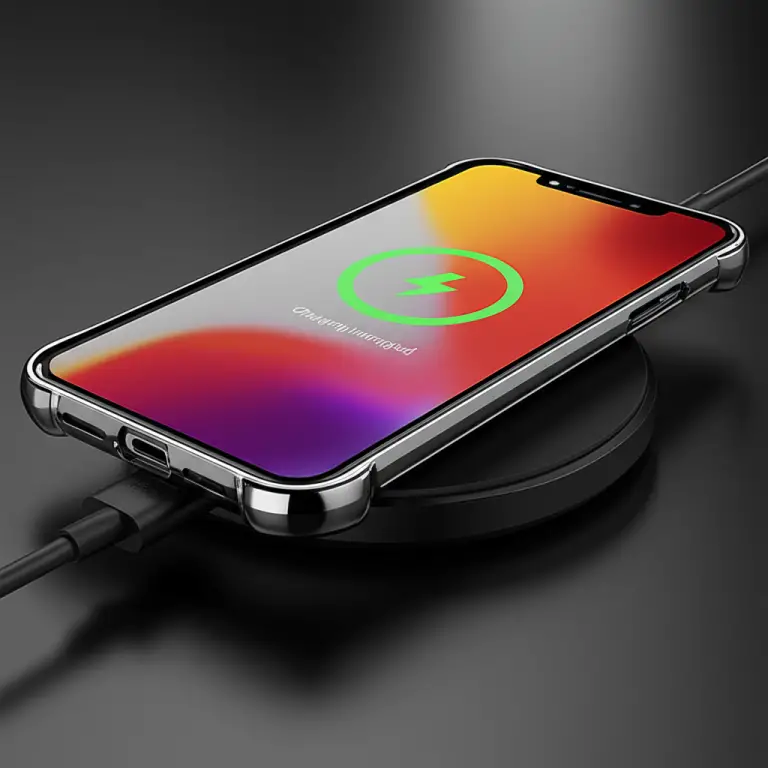
Phone case wireless charging compatibility is usually straightforward: most slim, non-metal cases work with wireless chargers, but thick designs, metal plates, and poorly aligned accessories can get in the way. For the best results, check that your phone supports wireless charging, choose a case specifically compatible with your charging setup, and test them together.
We’ve seen a case charge beautifully on a bedside pad, then refuse to cooperate in a car’s charging tray. The culprit is often a small change in thickness or alignment—not a mysterious phone failure. And if you want magnetic attachment as well as charging, remember: MagSafe or Qi2 compatibility is more specific than basic wireless-charging compatibility.
Key Takeaways
- Slim silicone, TPU, plastic, and many leather cases usually allow wireless charging.
- Metal plates and accessories can interfere; remove them before charging.
- Thickness and alignment matter. A case that works one charger may not work reliably on another.
- MagSafe and Qi2 are not interchangeable labels. Check the exact case, phone, and charger specifications.
- Test your setup: charge with the case on, then remove it and try again if charging fails or keeps stopping.
- Stop charging if your phone gets unusually hot or displays a temperature warning.
Table of Contents
- ⚡️ Quick Tips and Facts
- 📱 Wireless Charging and Phone Cases: The Basics
- How Qi and Qi2 Wireless Charging Work
- What MagSafe and Magnetic Wireless Charging Add
- 🔍 Do All Phone Cases Work with Wireless Chargers?
- 🧩 Case Features That Affect Wireless Charging Compatibility
- Case Material: Silicone, TPU, Leather, and More
- Case Thickness and Charging Distance
- Magnets, Metal Plates, and Other Accessories
- Camera Bumps, Kickstands, and Raised Edges
- 🛡️ Best Phone Case Types for Wireless Charging
- 1. Slim Silicone and TPU Cases
- 2. MagSafe and Qi2-Compatible Cases
- 3. Clear Wireless-Charging-Compatible Cases
- 4. Ruged Cases with Wireless-Charging Support
- 5. Wallet Cases and Folio Covers
- 6. Battery Cases and Charging Accessories
- 📲 Check Your Phone, Case, and Charger Compatibility
- Find Your Phone’s Wireless-Charging Standard
- Read Case Specifications and Compatibility Labels
- Check Charger Alignment, Power, and Certification
- 🏠 Match Your Case to Everyday Wireless-Charging Setups
- Charging Pads and Stands
- MagSafe and Qi2 Chargers
- Car Mounts and Wireless Car Chargers
- Power Banks, Nightstands, and Public Charging Spots
- ✨ Smartish Phone Cases and Wireless Charging Compatibility
- ⚙️ Wireless Charging Troubleshooting: Quick Fixes
- Phone Won’t Charge Through the Case
- Charging Starts and Stops or Fels Slow
- Overheating, Battery Care, and Safe Charging
- 🧼 Case Care and Wireless-Charging Best Practices
- 🔮 Future-Prof Your Phone Case and Charging Setup
- ✅ How to Choose a Phone Case That Charges Reliably
- Conclusion
- Recommended Links
- FAQ
- Can you wirelessly charge a phone with a case on?
- How thick can a phone case be for wireless charging?
- Do metal or magnetic phone cases block wireless charging?
- Will a MagSafe case work with a Qi wireless charger?
- Does wireless charging work through a wallet case?
- Can wireless charging damage a phone case or battery?
- How can you tell if a case supports wireless charging?
- Reference Links
Quick Tips and Facts
If you’re shopping for a new phone case, our Case Brands™ case guide can help you compare protection, materials, and style. For wireless charging, though, the short version is refreshingly simple: the phone must support wireless charging, and the case must let the charger’s field reach the phone’s charging coil.
| Quick fact | What it means for you |
|---|---|
| ✅ Most thin, non-metal cases work | Silicone, TPU, plastic, and many leather cases usually allow wireless charging. |
| ⚠️ Thickness can matter | More distance between the phone and charger can make charging slower or less reliable. There is no universal thickness limit for every phone-and-charger combination. |
| ❌ Metal is the main red flag | Metal plates, rings, and kickstands can interfere with charging and may heat up. |
| 🧲 Magnetic doesn’t automatically mean MagSafe | Magnets can help align a compatible setup, but magnetic attachment and wireless-charging support are not the same thing. |
| 📱 A case can’t add wireless charging to a phone | Check your phone’s specifications first. |
| 🔥 Warmth is normal; excessive heat isn’t | If your phone becomes unusually hot, charging keeps stopping, or you see a temperature warning, pause and troubleshoot. |
The Wireless Power Consortium’s Qi overview explains the charging standard, while Apple’s wireless charging guidance and Google’s Pixel charging support show why phone and charger compatibility matter alongside the case.
Our fastest test: place the cased phone on a compatible charger, confirm that charging starts, then check again after a few minutes. If it fails, remove the case and repeat. That little A/B test tells you whether the case, the alignment, or something else is the culprit.
Wireless Charging and Phone Cases: The Basics
How Qi and Qi2 Wireless Charging Work
Wireless charging transfers energy between a coil in the charging pad and a coil inside the phone. With Qi charging, you place the phone on a compatible pad or stand; the charger and phone need to be close enough and properly aligned to transfer power. A case sits between them, so its material, thickness, shape, and built-in accessories can influence the connection.
Qi2 adds a magnetic alignment system designed to help compatible chargers and devices line up more reliably. The WPC describes Qi2’s Magnetic Power Profile on its Qi2 overview. Exact charging performance still depends on the phone, charger, power adapter, and case.
| Term | Plain-English meaning | Case implication |
|---|---|---|
| Qi | A widely used wireless-charging standard | A Qi-compatible case is usually made to let charging work through the case, but verify the phone and charger too. |
| Qi2 | A newer standard with magnetic alignment for compatible devices | A case designed for Qi2 can help maintain magnetic alignment; “magnetic” alone does not prove Qi2 support. |
| MagSafe | Apple’s magnetic accessory and charging system for compatible iPhones | A MagSafe-compatible case can support magnetic attachment; a regular case may still allow basic Qi charging. |
| Charging coil | The component inside the phone and charger that transfers energy | Thick cases or poor alignment can make the connection less efficient. |
What MagSafe and Magnetic Wireless Charging Add
MagSafe uses magnets to align compatible iPhones with chargers and accessories. A MagSafe-compatible case has magnets positioned to work with that system, so a charger or mount can attach more securely. A case can be wireless-charge compatible without being MagSafe compatible: the phone may charge on a flat Qi pad, while the magnetic mount does not hold properly.
The same distinction applies to Qi2: look for clear compatibility claims for your phone model and charging standard, not just the word “magnetic.” Apple explains MagSafe accessories and charging in its MagSafe support guide, and the WPC details the Qi2 specification on its Qi2 page.
Do All Phone Cases Work with Wireless Chargers?
No—but most ordinary, reasonably slim cases do. The case usually isn’t the problem if it’s made from non-metal materials and doesn’t prevent the phone from sitting flat on the charger. Smartish sums up the everyday experience with the line, “Most phone cases work with wireless charging,” while also flaging thickness and metal as common obstacles in its wireless-charger case guide.
Anker puts the answer more cautiously: “The answer is yes, it can, but with considerations.” Its case-and-wireless-charging explainer emphasizes material, thickness, alignment, and heat. Those points aren’t contradictory: most standard cases work, but a particular case-and-charger combination can still fail.
| Case or setup | Typical result | What to check |
|---|---|---|
| Slim silicone, TPU, or plastic case | ✅ Usually works | Confirm the case fits the phone and has no metal insert. |
| Slim leather case | ✅ Often works | Check for metal closures, card pockets, or accessories. |
| Thick rugged case | ⚠️ Varies | Test with your charger; rugged designs can add distance or keep the phone from sitting flat. |
| Metal plate or kickstand | ❌ Often problematic | Remove the plate or accessory before charging. |
| Magnetic ring or attachment | ⚠️ Depends | Check the case maker’s specific compatibility statement. |
| Wallet case with cards | ⚠️ Depends | Folio layers add distance; cards may interfere with positioning or require removal. |
In the featured video, the presenter tests an iPhone 15 Pro Max and Samsung Galaxy S23 Ultra on a Tesla Model Y’s charging pad. The phones charge without cases, and the iPhone charges with a Case-Mate Twinkle Disco case and a Spigen case. The video also shows that some cases can fail on a particular car charger, even when another case works. That’s a useful reminder: compatibility is a three-way handshake between phone, case, and charger, not a permanent badge stamped on the case.
Case Features That Affect Wireless Charging Compatibility
Case Material: Silicone, TPU, Leather, and More
Most non-metal case materials don’t block wireless charging by themselves. The bigger question is often what else the case contains: an embedded metal plate, a magnetic wallet attachment, a thick decorative layer, or a built-in stand.
| Material or feature | Usual compatibility | Reviewer notes |
|---|---|---|
| Silicone | ✅ Generally good | Flexible and usually thin; textured designs can still sit unevenly on some pads. |
| TPU | ✅ Generally good | Common in clear and hybrid cases; check for thick edges or metal accessories. |
| Polycarbonate/plastic | ✅ Generally good | Often works well when the case is slim and non-metalic. |
| Leather | ✅ Often good | The leather itself is usually not the issue; closures and card storage can be. |
| Aluminum or other metal | ❌ Poor choice over the charging area | Conductive metal can interfere with the charger’s field. |
| Carbon-fiber-style finish | ⚠️ Depends on construction | A printed or composite appearance is not the same as a solid metal layer; check manufacturer specifications. |
| Magnets | ⚠️ Depends on placement and design | A properly designed magnetic case may support alignment; random magnetic accessories can cause problems. |
For more ways to compare case materials and designs, browse our Case Brand Guides, Fashion Cases, Designer Cases, and Eco-Friendly Cases.
Case Thickness and Charging Distance
A thicker case adds distance between the charger and the phone. That can reduce reliability or charging efficiency, particularly when the charger is already sensitive to placement. Anker’s guide uses under 3 mm as a rule of thumb for cases that are more likely to charge well and warns that cases over 5 mm may be more difficult. Treat those as practical estimates, not universal pass/fail limits: phone and charger designs vary, and a case can be thick in one area but thin over the coil.
Our reviewers’ rule: if a case maker explicitly says the case supports wireless charging, trust that claim as a starting point—but still test it with your own charger. A rugged case can work perfectly on a roomy pad and struggle on a shallow car charging tray.
Magnets, Metal Plates, and Other Accessories
A magnet can be useful when it’s part of a case designed for a compatible magnetic charging system. A metal plate added for a car mount is different: it may sit directly over the charging coil and interfere with energy transfer.
Before charging, check for:
- Metal plates or discs attached to the case
- Kickstands, rings, or grips that contain metal
- Magnetic wallet attachments
- Card holders that overlap the phone’s charging area
- Adhesive mounts or accessories that make the phone sit unevenly
If you use a removable wallet or grip, take it off and test again. Don’t assume a case is incompatible just because one accessory attached to it is.
Camera Bumps, Kickstands, and Raised Edges
A camera bump is usually harmless when the charger is designed for the phone’s shape. But on a flat pad, an uneven back or a large kickstand can make the phone rock instead of lying flat. That can move the charging coils out of alignment.
If your phone starts charging only when you press it down or hold it in one spot, suspect physical fit and alignment before blaming the battery. Try a stand-style charger or a different pad, then repeat the test with the accessory removed.
Best Phone Case Types for Wireless Charging
These categories are a practical shortlist, not a guarantee that every model works with every charger. Always check the exact phone model and the case maker’s compatibility notes.
1. Slim Silicone and TPU Cases
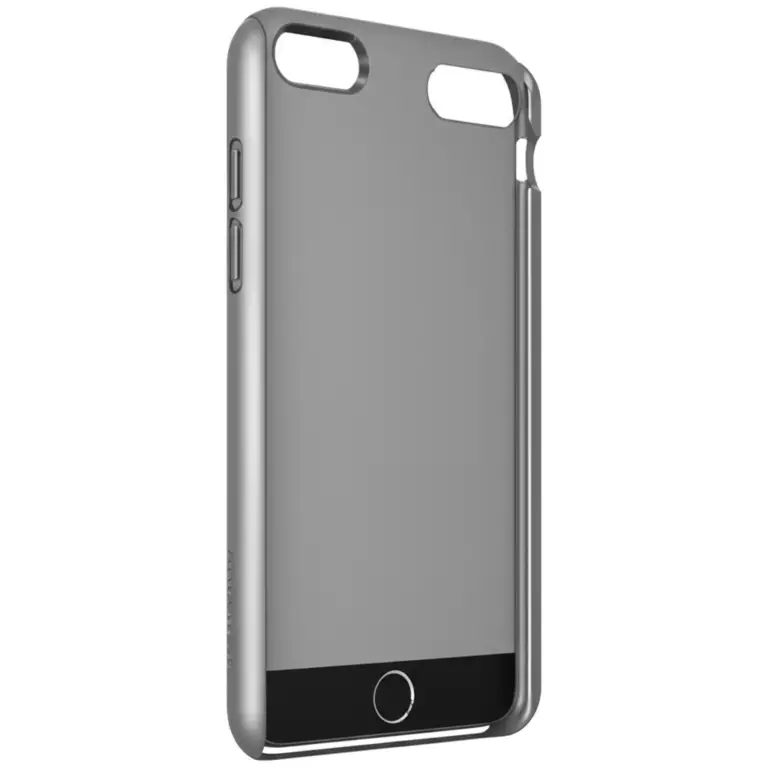
Slim silicone and TPU cases are reliable everyday choices because they typically add little distance and contain no metal. They also offer a useful balance of grip, scratch protection, and easy removal.
- ✅ Good for basic Qi charging
- ✅ Often lightweight and flexible
- ⚠️ Decorative pieces or attached rings can change compatibility
- ⚠️ A very raised or textured back may not sit flat on some chargers
2. MagSafe and Qi2-Compatible Cases
If you use a magnetic charger or car mount, choose a case explicitly designed for MagSafe or Qi2, as appropriate for your phone. Apple’s MagSafe accessories guide explains the iPhone ecosystem; the WPC Qi2 overview describes the standard.
- ✅ Magnetic alignment can improve attachment and placement
- ✅ Useful with compatible stands, mounts, and power banks
- ⚠️ Magnetic attachment does not guarantee every charger or phone combination supports the same charging speed
- ⚠️ Check that the case is made for your specific phone generation
3. Clear Wireless-Charging-Compatible Cases
Clear cases can be a good choice if you want to show off your phone without adding much bulk. Look for a slim design with no metal camera trim or decorative plate covering the charging area.
Brands such as Case-Mate and Spigen offer a range of clear and protective designs. Check the listing for your exact device rather than relying on the product family name alone.
4. Ruged Cases with Wireless-Charging Support
Ruged cases can protect against drops while still allowing wireless charging—but thickness, built-in stands, and layered construction make model-specific testing especially useful.
- ✅ Stronger protection for demanding use
- ✅ Some models are designed and tested for wireless charging
- ⚠️ More bulk can make a charger less forgiving
- ⚠️ Built-in metal stands or accessories may need to be folded away or removed
OterBox and Mous both make protective cases; confirm wireless and magnetic charging support for the specific case, device, and accessory you plan to use.
5. Wallet Cases and Folio Covers
Wallet cases are convenient, but their extra layers, card slots, and closures can make wireless charging less predictable. Some folio cases work when closed; others need the cover folded back or cards removed. The only dependable answer is the case maker’s guidance plus a quick real-world test.
Don’t charge with payment cards wedged between the phone and charger. It’s a poor setup for alignment and may expose cards or accessories to unnecessary heat.
6. Battery Cases and Charging Accessories
Battery cases have their own battery and charging electronics, so they don’t behave like ordinary cases. Some accept wireless input; others require a cable or a specific charging accessory. Check the battery-case manufacturer’s instructions for both the case battery and phone charging behavior.
For accessories, Anker and Belkin publish product-specific compatibility information. Never assume a battery case will pass wireless power through to the phone simply because the phone itself supports Qi.
Check Your Phone, Case, and Charger Compatibility
Find Your Phone’s Wireless-Charging Standard
Start with the phone, not the case. Look up your exact model on the manufacturer’s support pages or specifications. Similar-looking phones in the same family can have different charging features.
- Apple users can check iPhone wireless charging support.
- Google Pixel owners can use Google’s wireless charging instructions.
- Samsung users can search the official Galaxy support site for their exact model.
If the phone lacks wireless charging, no case can add it. A wireless charging receiver accessory may be an option for some devices, but check the phone maker’s guidance and accessory compatibility before buying.
Read Case Specifications and Compatibility Labels
Look for specific language such as “wireless charging compatible,” “Qi compatible,” “MagSafe compatible,” or “Qi2 compatible.” These claims describe different levels of compatibility, so match the wording to your setup.
Check the fine print for:
- Exact phone model and generation
- Whether the case supports charging with the cover closed
- Whether magnetic accessories are included or sold separately
- Whether a kickstand or wallet attachment must be removed
- Any charger, power adapter, or alignment restrictions
A broad “wireless charging friendly” claim is useful, but a model-specific compatibility page is better.
Check Charger Alignment, Power, and Certification
A compatible phone and case can still fail on a charger with poor alignment, an unsuitable power adapter, or a damaged cable. Use a reputable charger and follow the phone and charger instructions. The WPC’s Qi certification information can help explain what certification means.
For a clean test:
- Confirm the phone supports wireless charging.
- Remove metal plates, wallets, grips, and detachable accessories.
- Connect the charger to its recommended power adapter.
- Center the phone on the pad or use the charger’s alignment guide.
- Check that the phone indicates charging.
- Let it charge for several minutes, then check that charging has continued.
- If it fails, remove the case and repeat on the same charger.
- If it still fails, test another compatible charger or outlet.
This sequence isolates the cause instead of turning your desk into a charger graveyard.
Match Your Case to Everyday Wireless-Charging Setups
Charging Pads and Stands
Flat pads are simple, but they can be fussy about placement. Stands often make alignment easier because the phone rests in a predictable position and you can see the charging indicator.
- Best case style: slim, smooth-backed case without a protruding stand
- Potential snag: large camera bumps or uneven grips
- Tip: reposition the phone once, then check whether the charging indicator stays on
MagSafe and Qi2 Chargers
MagSafe and Qi2 chargers rely on the right combination of device support and magnetic alignment. Use a case made for the relevant system if you want secure magnetic attachment, not just basic charging.
Apple’s MagSafe guide and the WPC Qi2 information are useful references when comparing magnetic charging claims.
Car Mounts and Wireless Car Chargers
Cars are a real-world stress test: charger trays vary in size, phone positions shift during driving, and a case that works on a desk may not work in a vehicle.
The featured video demonstrates this nicely with an iPhone 15 Pro Max and Samsung Galaxy S23 Ultra in a Tesla Model Y. The presenter reports that some people’s iPhones weren’t charging, then tests cases and finds that one setup works while another does not. The point isn’t that a specific brand always wins; it’s that car charging pads can be unusually sensitive to fit and position.
Before a road trip:
- Test your phone and case in the car while parked.
- Remove a magnetic plate or wallet accessory.
- Make sure the phone lies in the tray without rocking.
- Check the charging indicator before driving away.
- Keep a cable handy if the vehicle’s pad proves picky.
Power Banks, Nightstands, and Public Charging Spots
Portable wireless chargers and nightstand pads use the same basic principles, but their size and magnetic design vary. A magnetic power bank needs compatible alignment; a basic pad may simply need the phone centered.
For shared or public charging stations, remove accessories that create an unstable fit and don’t leave a phone charging if it becomes unusually hot. A cable can be the more reliable option when you can’t monitor the setup.
Smartish Phone Cases and Wireless Charging Compatibility
Smartish’s guidance is practical: most cases work, while excessive bulk and metal components are the usual troublemakers. Its wireless charger case article recommends checking the manufacturer’s claim, centering the phone, and removing the case if charging remains inconsistent.
That advice is useful across brands, not just Smartish. When evaluating a Smartish case collection, look at the exact model’s materials, thickness, and accessory design. We’d treat “wireless compatible” as a strong first signal—not a promise that every car pad, old charger, or third-party mount will behave identically.
Reviewer takeaway: if you want a case for everyday charging, choose a model with clear wireless-charging support and avoid metal accessories over the coil. If magnetic attachment matters too, verify MagSafe or Qi2 compatibility separately.
Wireless Charging Troubleshooting: Quick Fixes
Phone Won’t Charge Through the Case
Try these steps in order:
- Remove the case and test again. If charging starts, the case or an attached accessory is likely the issue.
- Remove metal plates, wallets, rings, and grips.
- Re-center the phone. Charging coils need to line up closely.
- Check that the phone is lying flat. A kickstand or camera bump may be lifting it.
- Inspect the charger, cable, and power adapter. Try a known-good outlet and approved adapter.
- Restart the phone if the charger works with other devices but not your phone.
- Try another compatible charger to isolate a charger-specific fit problem.
If the phone won’t charge with the case removed on multiple compatible chargers, check the device maker’s support information or arrange service.
Charging Starts and Stops or Fels Slow
Intermittent charging often points to a loose position, an unstable pad, an accessory between the phone and charger, or heat. First remove attachments and re-center the phone. Then check whether the charger and power supply match the phone’s requirements.
Wireless charging is not automatically faster than wired charging. Actual speed depends on the phone, charger, adapter, temperature, and charging standard. Anker’s wireless charging guide also notes that greater distance and poor alignment can affect efficiency.
Overheating, Battery Care, and Safe Charging
Some warmth during charging is normal. Persistent or excessive heat is a reason to stop and investigate. Remove the case, disconnect the charger if needed, move the phone out of direct sunlight, and follow the phone maker’s temperature guidance.
Apple explains how iPhone manages charging and temperature in its battery and performance guidance; Google provides device-specific advice through Pixel support. Avoid charging under blankets or on soft surfaces that trap heat, and don’t ignore repeated temperature warnings.
Case Care and Wireless-Charging Best Practices
A case can stay on during charging if the manufacturer says it’s compatible and your setup works reliably. Keep the phone and charger’s contact surfaces clean, and inspect the case for loose accessories or damaged layers.
- ✅ Clean dust and debris from the case and charging surface.
- ✅ Keep the phone centered and use a stable pad or stand.
- ✅ Remove detachable metal plates, wallet attachments, and grips before charging.
- ✅ Follow the charger’s instructions for power adapters and cable connections.
- ❌ Don’t place cards or metal objects between the phone and charger.
- ❌ Don’t cover a charger or phone that is getting unusually hot.
- ❌ Don’t assume a case tested one charger will behave the same in every car or charging stand.
Future-Prof Your Phone Case and Charging Setup
“Future-proof” doesn’t mean buying every new accessory; it means choosing a case that matches your current phone and likely charging habits without blocking options you’ll use later.
- For basic Qi charging: choose a slim, non-metal case with an explicit compatibility claim.
- For magnetic charging: check for MagSafe or Qi2 support that matches your phone.
- For car charging: test the case in the actual vehicle before relying on it.
- For rugged protection: check whether the manufacturer has tested wireless charging with the full case assembled.
- For a phone upgrade: verify the exact new model. Case fit and charging-coil placement can change between generations.
The WPC’s Qi2 information and certified product resources are useful for understanding standards. Still, manufacturer compatibility for your exact device is the final word.
How to Choose a Phone Case That Charges Reliably
Use this checklist before buying:
| Your priority | What to look for | What to avoid |
|---|---|---|
| Everyday Qi charging | Slim, non-metal design; explicit wireless-charging support | Metal plates over the coil |
| MagSafe attachment | Case labeled MagSafe compatible for your phone | Assuming any magnetic case will attach properly |
| Qi2 alignment | Qi2 compatibility for both device and case | Treating “magnetic” as equivalent to Qi2 certification |
| Ruged protection | Manufacturer-tested charging support for the exact case | Assuming a bulky case will work on every pad |
| Wallet convenience | Clear instructions on charging with the folio closed and cards removed | Charging with cards or attachments sandwiched against the phone |
| Car charging | A fit that sits flat and stays aligned in your vehicle | Buying based only on desk-charger performance |
Our confident recommendation: choose a case with a clear, model-specific wireless-charging claim; skip metal plates over the charging area; and test the case on the charger you actually use. If magnetic attachment is part of the plan, verify MagSafe or Qi2 compatibility separately. That simple checklist prevents most “why isn’t this charging?” moments—though one stubborn charger may still have a surprise in store.