Support our educational content for free when you purchase through links on our site. Learn more
Phone Case Thickness for Wireless Charging: How Thick Is Too Thick? ⚡

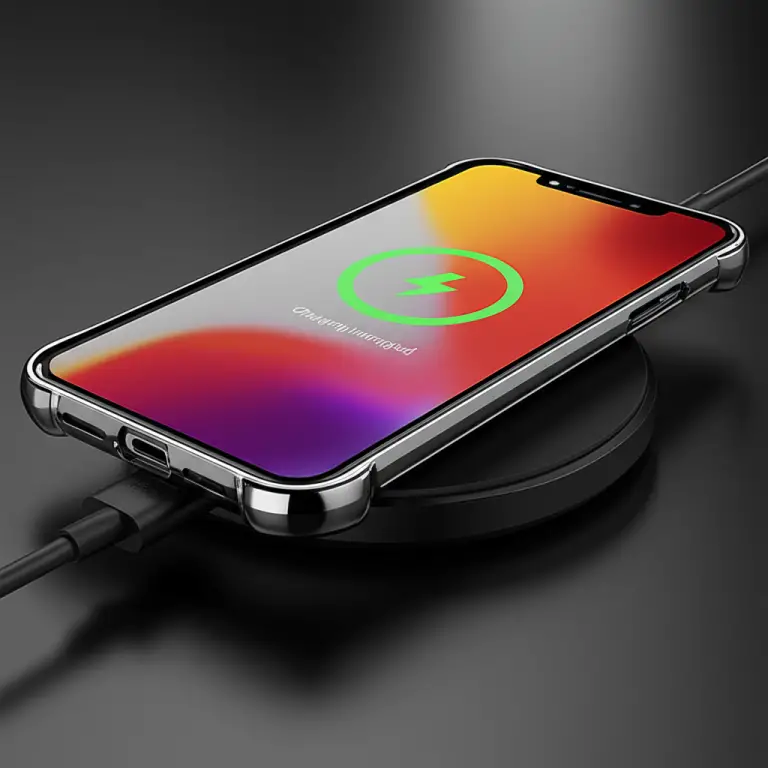
Phone case thickness for wireless charging is usually fine below about 3 mm, while cases thicker than 5 mm are more likely to slow or interrupt charging. These are practical guidelines, not universal limits: your charger, phone, case material, alignment, and any attached metal accessories all affect whether charging works reliably.
Our reviewers have tested wireless charging with everything from slim everyday shells to bulky protective cases. One reviewer even got a charger working through an OterBox, but found that precise alignment mattered—a useful reminder that thickness isn’t the whole story.
Key Takeaways
- Under about 3 mm: Most simple, non-metal cases are a good bet for wireless charging.
- Around 3–5 mm: Compatibility varies; test your exact phone, case, and charger together.
- Over about 5 mm: Charging may slow, become inconsistent, or fail.
- Case material and add-ons matter: Metal plates, wallets, kickstands, and grips can interfere or prevent the phone from sitting flat.
- MagSafe and Qi2 cases can help compatible phones and chargers align, but check support for your specific models.
- If charging fails or the phone gets unusually warm, remove the case and accessories, center the phone on the charger, and test again.
Table of Contents
- ⚡️ Quick Tips and Facts
- 📖 How Wireless Charging Works Through a Phone Case
- Qi and Qi2 charging basics
- Why distance and alignment matter
- 📏 How Thick Can a Phone Case Be for Wireless Charging?
- Typical case thickness limits
- Why the charger’s specifications take priority
- 🧱 Case Materials and Wireless Charging Compatibility
- Silicone, TPU, plastic, and leather
- Metal, magnets, and magnetic accessories
- 🔋 How Case Thickness Affects Charging Speed, Heat, and Efficiency
- 🧲 MagSafe, Qi2, and Magnetic Phone Cases
- 🔎 How to Check Whether Your Case Supports Wireless Charging
- 🛠️ How to Fix Wireless Charging Through a Case
- 10 troubleshooting steps to try
- When to remove the case
- 📱 Phone-Specific Wireless Charging Case Considerations
- 🛍️ Choosing a Case That Charges Reliably
- ❌ Common Wireless Charging Case Myths
- Conclusion
- Recommended Links
- FAQ
- Reference Links
⚡️ Quick Tips and Facts
We review protective gear at Case Brands™, and the short version is pleasantly simple: most wireless charging-compatible cases do not need to be paper-thin. The right thickness depends on the charger, phone, case material, alignment, and anything attached to the back.
| Case or setup | What to expect | Our practical take |
|---|---|---|
| Thin, non-metal case | Usually charges normally | ✅ The easiest combination |
| Case under about 3 mm | Often little impact on charging | ✅ A useful rule of thumb, not a guarantee |
| Case around 3–5 mm | Performance varies | ⚠️ Test with your specific charger |
| Case over about 5 mm | May charge slowly, inconsistently, or not at all | ⚠️ Check charger guidance and alignment |
| Metal plate, card wallet, or kickstand over the coil | Can block or disrupt charging | ❌ Remove the accessory or case |
| Magnetic case designed for MagSafe or Qi2 | Usually works with compatible hardware | ✅ Use the right phone and charger combination |
| Phone gets unusually hot | Charging may slow or stop | ⚠️ Remove the case and check placement |
The 3 mm and 5 mm figures are practical guidelines, not universal engineering limits. Anker says cases under 3 mm generally pose little barrier, while cases over 5 mm may reduce efficiency or prevent charging; SaharaCase similarly cautions that cases around 3–5 mm or thicker can slow or block charging. The reason those sources don’t give one magic cutoff is that charger power, coil spacing, phone design, and case construction all matter (Anker’s guide, SaharaCase’s guide).
Our quick test: place the phone flat and centered on a compatible charger. If charging starts promptly and stays steady without excess heat, the case is probably fine. If not, remove the case and try again. That tiny experiment can save you an hour of charger-side bargaining.
📖 How Wireless Charging Works Through a Phone Case
Wireless charging is not magic, though a phone that charges through a protective case can certainly look like it has accepted a tiny electrical wizard. Qi charging transfers energy between coils in the charger and phone using electromagnetic induction. A typical non-metal case sits between those coils without necessarily blocking the energy transfer.
For a deeper technical overview, the Wireless Power Consortium (WPC) explains the Qi standard and its charging technology. The key practical point for case buyers: the charging field has to bridge the gap between the pad and the phone’s receiver coil, and added thickness or misalignment can make that harder.
Qi and Qi2 charging basics
Qi is a widely used wireless charging standard. Qi2 adds a Magnetic Power Profile, which uses magnetic alignment to help compatible devices and chargers line up. Apple’s MagSafe support information and the WPC’s Qi2 overview explain how magnetic alignment supports the newer charging ecosystem.
A few details are worth keeping straight:
- The phone must support wireless charging. A compatible case cannot add Qi charging to a phone that lacks a wireless charging receiver.
- The charger and phone determine the available charging behavior. A case does not make a phone charge faster than its hardware and software allow.
- Magnetic alignment is not the same as “any magnet works.” A purpose-designed MagSafe or Qi2 case places magnets to align with compatible chargers; a random magnetic ring, mount, or metal plate may interfere.
- Qi-certified products are a sensible starting point. Check the WPC product database when certification matters.
Why distance and alignment matter
Wireless charging is sensitive to the space and alignment between the transmitter and receiver coils. A thicker case adds separation; a bump, wallet, camera lip, or kickstand can tilt the phone or hold it away from the pad. Either way, the coils may couple less effectively.
Here’s the practical picture:
| What changes | Why it matters | What you may notice |
|---|---|---|
| More case thickness | Increases coil-to-coil distance | Slower or unreliable charging |
| Phone sits off-center | Coils overlap less effectively | Charging starts and stops |
| Raised accessory or uneven back | Leaves an air gap or tilt | Charging fails or generates more heat |
| Metal near the charging coil | Can interfere with the charging field | Charging may stop or become unstable |
A reviewer testing a Kpon Qi charger described getting it to work through an OterBox case and even through unusually thick objects, but said alignment had to be precise and cited 10 mm as the maximum distance for that particular charger. That is an entertaining stress test, not a universal case-thickness promise: the charger’s design, phone, test objects, and alignment all affect the outcome. You can see the reviewer’s perspective at #featured-video.
📏 How Thick Can a Phone Case Be for Wireless Charging?
There is no single maximum thickness that applies to every phone, case, and wireless charger. A slim case may work flawlessly with one setup, while a similar-looking rugged case may struggle because it has a metal plate, a thick kickstand, or a pronounced camera ring.
As a usable starting point, Anker describes cases under 3 mm as generally low-risk and warns that cases over 5 mm can significantly affect charging. SaharaCase also flags the 3–5 mm range as a point where charging may slow or fail. Treat these as guidelines for troubleshooting, not a certified standard.
Typical case thickness limits
| Approximate case thickness | Likely experience | How to approach it |
|---|---|---|
| Under 3 mm | Often charges without noticeable issues | Good starting range for simple TPU, silicone, or plastic cases |
| 3–5 mm | Depends on charger output, coil placement, material, and phone | Test carefully; look for a manufacturer’s compatibility guidance |
| Over 5 mm | Higher chance of slow, intermittent, or failed charging | Try a different pad, remove add-ons, or take the case off |
| Around 10 mm | Some chargers may work under favorable conditions, but it is not a general guarantee | Confirm the exact charger’s stated limits |
Measure the relevant part, not just the case’s edge. A case can be thin around its sides but thick over the central charging coil because of a built-in wallet, magnetic module, battery pack, or reinforced panel.
And there’s a catch: manufacturers may describe a charger as compatible with “thick cases” without specifying a universal thickness. Ask for the exact supported distance and whether that figure includes the case, a screen protector, or other accessories.
Why the charger’s specifications take priority
Different chargers vary in coil design, charging power, thermal controls, and alignment aids. A flat Qi pad may be less forgiving than a magnetic charging puck that holds a compatible phone in the right position. Use the charger manufacturer’s stated compatibility limit whenever it provides one.
For example, Anker’s article gives general case-thickness advice rather than promising that every charger can charge through every case. That distinction matters: “wireless charging works through cases” is broadly true, but it does not mean every combination works at full speed.
🧱 Case Materials and Wireless Charging Compatibility
For charging, a simple non-metal case is usually the least complicated choice. The material matters, but construction and accessories matter just as much. A thin leather case can work; a plastic case with a thick metal kickstand may not.
| Case material or feature | Typical wireless charging compatibility | Watch-outs |
|---|---|---|
| TPU | Usually good | Thick or layered designs can add too much distance |
| Silicone | Usually good | Softness does not guarantee thiness |
| Polycarbonate or other plastic | Usually good | Check for embedded metal or bulky add-ons |
| Leather | Often works if reasonably thin | Wallet pockets and card storage can interfere |
| Metal case or plate | Often problematic | Metal can disrupt the charging field |
| Magnets in a purpose-designed MagSafe/Qi2 case | Designed for compatible magnetic chargers | Confirm compatibility with your phone and charger |
| Kickstand, wallet, ring, or pop grip | Variable | May block the coil or keep the phone from sitting flat |
Silicone, TPU, plastic, and leather
TPU, silicone, plastic, and leather are generally compatible when the case is not too thick. They are popular because they do not create the same metal-related obstacle, though a padded leather wallet case or extra-ruged plastic shell can still create too much distance.
A few buying cues help:
- Look for explicit wording such as “wireless charging compatible”.
- Check whether the case has a built-in wallet, magnetic ring, kickstand, or thick rear panel.
- For fashion-forward protection, browse our Fashion Cases and Designer Cases guides—but check charging compatibility for the exact model.
- Prefer a case made for your phone model. Coil placement differs between devices, so “fits” and “charges well” are not always the same thing.
Our reviewers have found that simple construction often beats a fancy feature list for wireless charging: fewer layers and fewer add-ons mean fewer opportunities for the phone to sit too far from the pad.
Metal, magnets, and magnetic accessories
Metal accessories are the main red flag. Anker warns that metal can interfere with wireless charging, and SaharaCase specifically calls out metal plates, card holders, kickstands, and other attachments as potential obstacles (Anker, SaharaCase).
Magnets require a little nuance:
- Purpose-built MagSafe or Qi2 magnets are positioned to support compatible magnetic alignment.
- A metal plate for a car mount may obstruct charging, especially if it sits over the coil.
- An accessory magnet placed in the wrong spot can make alignment unpredictable.
- A magnetic wallet or ring may need to be removed before charging.
If you want magnetic mounting and wireless charging, choose a case designed for that combination rather than improvising with a plate stuck wherever it fits. For sustainable options, our Eco-Friendly Cases category can help narrow the search, but verify that the specific model also supports your charger.
🔋 How Case Thickness Affects Charging Speed, Heat, and Efficiency
A case does not have to stop charging to affect the experience. It may still reduce efficiency, slow charging, or cause more heat, especially when the phone is misaligned or the case insulates the back.
| Symptom | Possible cause | First thing to try |
|---|---|---|
| Phone charges more slowly than usual | Case thickness, lower-power charger, or poor alignment | Center the phone and compare with the case removed |
| Charging repeatedly starts and stops | Coil misalignment or an accessory obstruction | Remove wallet, grip, or kickstand; reposition |
| Phone feels unusually warm | Normal wireless-charging heat, poor alignment, or case insulation | Remove the case and let the phone cool |
| Charger reports an object or charging error | Metal accessory or foreign object near the coil | Clear the pad and remove metal accessories |
| Phone charges only when held in a precise spot | Marginal coil overlap or excessive case distance | Try a different compatible charger or thinner case |
Wireless charging naturally produces heat. A thick or insulated case can make it harder for heat to escape, while poor alignment can reduce charging efficiency. Apple’s wireless charging guidance advises removing objects between the phone and charger and notes that the device may warm during charging. For general battery and charging safety, follow the phone maker’s instructions and use reputable chargers.
A warm phone is not automatically a dangerous phone, but repeated excessive heat is a reason to stop, remove the case, and check the charger, alignment, and accessories. If it stays very hot, disconnect it and follow the manufacturer’s support guidance rather than continuing the test.
One reviewer’s real-world perspective is that a protective case can be worth a modest charging compromise. In the Kpon charger test, the reviewer preferred “fat, juicy, protective cases” and reported charging through an OterBox without issue. That is a useful reminder that protection and convenience can coexist—but a single successful test does not certify every bulky case. The test also found that unusual objects could be charged through only with careful alignment; the reviewer described 10 mm as the maximum distance for that charger, not a universal limit (video context).
🧲 MagSafe, Qi2, and Magnetic Phone Cases
MagSafe and Qi2 cases are designed to help compatible phones and chargers align magnetically. That does not mean every magnetic case charges every phone at the same speed. Compatibility depends on the phone, case layout, charger, and charging standard.
Apple describes MagSafe chargers and compatible accessories for supported iPhone models. The WPC’s Qi2 information covers the standard’s magnetic alignment approach. For Android devices, check the phone maker’s documentation and the charger’s compatibility list rather than assuming that a MagSafe-branded accessory offers full Qi2 behavior.
| Setup | What to check |
|---|---|
| iPhone + MagSafe case + MagSafe charger | Confirm the iPhone model and case are MagSafe-compatible |
| Qi2-certified phone + Qi2 case + Qi2 charger | Verify certification and supported power for all three |
| Phone without magnetic charging support + magnetic case | The phone may still charge by Qi, but magnetic alignment benefits may be limited |
| Case with a generic metal plate | Remove the plate for charging if it blocks the coil |
| Magnetic ring added after purchase | Check its placement and test charging; it may cause misalignment |
The best magnetic case is one built for the phone and charging ecosystem you actually own. For compatible Apple devices, brands such as Apple, OterBox, and Spigen offer product lines marketed for magnetic charging or accessory compatibility. Always check the exact model listing: product families can include both magnetic and non-magnetic versions.
🔎 How to Check Whether Your Case Supports Wireless Charging
A case label is a helpful clue, not a courtroom oath. Here’s how we recommend checking compatibility without risking your phone or guessing based on thickness alone.
- Confirm that your phone supports wireless charging. Check the phone manufacturer’s specifications or support page.
- Read the case listing carefully. Look for explicit wireless charging, MagSafe, or Qi2 compatibility for your exact phone model.
- Inspect the back of the case. Look for metal plates, rings, card holders, kickstands, battery packs, or raised grips.
- Check charger guidance. The charger’s stated maximum case thickness or accessory restrictions matter more than a generic rule of thumb.
- Test on a clear charging pad. Remove wallets, cards, and detachable accessories first.
- Center the phone and wait for confirmation. Check the phone’s charging icon or battery status rather than assuming it worked.
- Compare performance with the case off. If charging starts more reliably or the phone runs cooler without the case, the case or an accessory may be the cause.
- Repeat with another compatible charger if available. A fault or design limitation in one charger can look like a case problem.
If you are shopping, start with our Case Brand Guides for brand-specific protection and compatibility details. For brand examples, OterBox Defender Series emphasizes rugged protection, while Spigen Tough Armor is another protective line; check the product listing for your specific phone and charging setup, since “ruged” is not a standard thickness measurement.
🛠️ How to Fix Wireless Charging Through a Case
If charging fails, the case is only one suspect. The charger, phone position, accessory, power adapter, or even an object between the phone and pad could be responsible.
10 troubleshooting steps to try
Try these in order:
- Remove any wallet, cards, grip, kickstand, or magnetic mount plate. Start with the easiest obstruction to eliminate.
- Place the phone flat on the center of the pad. A small shift can matter when the coils are close to their limits.
- Remove the case and test again. If the bare phone charges, the case or an attached accessory is likely involved.
- Check for a metal object on the pad. Coins, keys, and metal accessories do not belong between phone and charger.
- Confirm the phone supports wireless charging. Not every phone model in a product family does.
- Confirm the charger and power adapter are connected correctly. Some chargers need a compatible wall adapter to deliver their rated output.
- Clean the phone and charger surfaces. Dust or debris can prevent a flat, stable fit.
- Restart the phone and check for charging alerts. Software or temperature protection can affect charging behavior.
- Try a second compatible charger. This helps distinguish a case issue from a charger fault.
- Inspect the case for swelling, deformation, or damage. Replace damaged cases or accessories rather than forcing a poor fit.
For phone-specific instructions, consult the relevant support pages from Apple, Google Pixel, or Samsung.
When to remove the case
Remove the case for charging if:
- The phone does not charge with the case on but charges normally without it.
- You need to position the phone unusually precisely every time.
- The phone becomes unusually hot or repeatedly pauses charging.
- A metal plate, wallet, grip, or kickstand sits over the charging coil.
- The charger or phone maker specifically says to remove the case.
You do not need to strip off a well-fitting, compatible case every night just because wireless charging is involved. But if removing it fixes the problem immediately, you have a clear answer—and no need to blame the charger in a dramatic late-night monologue.
📱 Phone-Specific Wireless Charging Case Considerations
Wireless charging coil locations and supported charging standards vary by phone. A case that works one model may not fit or charge properly on another, even within the same brand’s product family.
| Phone family | What to verify |
|---|---|
| iPhone | Exact model, MagSafe support, and compatibility of the case and charger |
| Samsung Galaxy | Exact model and wireless charging support; case alignment and any magnetic accessory |
| Google Pixel | Model-specific wireless charging support and any manufacturer guidance |
| Other Android phones | Confirm Qi support for the exact device; don’t infer it from the brand alone |
For iPhone, use Apple’s wireless charging guidance. For Samsung models, check the Samsung support site; for Pixel, check Google Pixel Help. These sources are more trustworthy for device-specific compatibility than a generic case description.
A magnetic case can be especially model-specific. MagSafe is associated with compatible iPhones and accessories; Qi2 compatibility should be verified for the exact phone and charger. When in doubt, search the manufacturer’s product page by the complete model name and generation.
🛍️ Choosing a Case That Charges Reliably
A good wireless charging case should protect your phone without turning each charge into a precision-parking exercise. We recommend evaluating protection, thickness, materials, accessory design, and charger compatibility together.
| Buying factor | Look for | Be cautious about |
|---|---|---|
| Compatibility | Explicit support for your phone and wireless charging standard | Generic claims without a model-specific listing |
| Thickness | A slim or moderate profile, especially around the rear coil | Very bulky layered construction |
| Material | TPU, silicone, plastic, or leather without problematic metal parts | Metal backs or embedded plates |
| Magnetic features | Purpose-designed MagSafe or Qi2 layout | Unverified magnets or misplaced metal rings |
| Added utility | Detachable wallet or kickstand | Permanent accessories covering the coil |
| Protection | Raised edges and tested drop protection | Assuming a thinner case offers the same protection as a rugged case |
Protection versus charging convenience
This is the real trade-off: a rugged case may be worth a little charging inconvenience if you routinely drop your phone. The reviewer in the Kpon charger test openly preferred bulky protection and successfully charged through an OterBox in their test. But they also noted that precise alignment mattered when charging through unusual objects. In other words, rugged protection can work, but your exact charger-and-case pairing still needs a real test.
If charging convenience is your priority, choose a thinner case without a rear wallet or kickstand. If protection comes first, pick a reputable protective case and verify charging with your own charger before relying on it.
Brand and product examples to compare
These are examples of brands with distinct case styles, not blanket guarantees for every model in their catalog:
- OterBox Defender Series: rugged protection; check the exact case and charger combination.
- Spigen Tough Armor: protective design; verify wireless charging compatibility for the device-specific version.
- Apple MagSafe cases: designed for compatible iPhones and MagSafe accessories.
- SaharaCase Sparkle MagSafe: a MagSafe-oriented style for supported iPhones; confirm the exact model listing.
- SaharaCase clear Hard Shell Series: a clear-case option; check the thickness and device-specific compatibility.
For each option, review the manufacturer’s current product details rather than relying on a product name alone:
❌ Common Wireless Charging Case Myths
| Myth | What’s more accurate |
|---|---|
| “Any case under a certain thickness will always work.” | Thickness is only one factor. Materials, alignment, accessories, charger design, and phone model also matter. |
| “All cases block wireless charging.” | Many thin, non-metal cases work normally. |
| “Any magnet ruins wireless charging.” | Purpose-designed MagSafe or Qi2 magnets can support alignment; random metal plates or misplaced accessories may interfere. |
| “If the phone shows charging, the case has no effect.” | Charging may still be slower or warmer than it is without the case. |
| “A charger that works through 10 mm proves all chargers can.” | One reviewer’s test applies to that charger and setup, not every product. |
| “Wireless charging is always faster.” | Wireless charging speed depends on the phone and charger, and wired charging may be faster. |
Anker’s under-3-mm and over-5-mm guidance is useful because it gives shoppers a starting range. SaharaCase also notes that thick cases and rear accessories can make charging harder. Neither claim creates a universal cutoff, because the outcome changes with the phone, charger, case construction, and alignment. When sources seem to disagree, trust the manufacturer’s instructions for your exact devices, then use the thickness ranges as troubleshooting clues.
🎥 Charger Test: Thick Cases and Precise Alignment
A reviewer who said, “I like big cases on my phone because I drop them all the time,” tested a Kpon Qi charger advertised for thick cases. They reported that it charged an iPhone in an OterBox, as well as AirPods Pro, and tried more unusual objects such as a game case and playing cards. The reviewer said alignment needed to be precise and described 10 mm as the maximum distance for that charger.
That perspective is useful because it shows why “too thick” is not a fixed number: a charger may work through a bulky case under the right conditions. But the test also does not prove that every 10 mm case works, that charging stays fast, or that every phone will behave the same way. Treat it as an example of a successful setup—not a substitute for the charger maker’s specifications or your own test.