Support our educational content for free when you purchase through links on our site. Learn more
Phone Case Signal Interference: 9 Things to Check 📶

Phone case signal interference is possible, but most everyday cases won’t noticeably weaken your reception. Metal shells, large metal plates, and poorly placed accessories deserve the closest look; case thickness alone doesn’t tell you much.
We’ve seen a classic false alarm: someone blames a new rugged case for dropped calls, only to discover the trouble happens in one room with notoriously weak coverage. A quick, repeatable case-on versus case-off test can help separate a case issue from the usual suspects: location, network conditions, and phone settings.
Key Takeaways
- Metal is the main material to scrutinize. Large conductive parts may affect wireless performance; small decorative details don’t automatically cause problems.
- Thickness alone isn’t a reliable warning sign. Material, case fit, antenna placement, and added accessories all matter.
- Different connections can behave differently. Cellular, Wi-Fi, Bluetooth, GPS, and NFC each have their own quirks.
- Test before you replace. Compare the same phone in the same place with and without the case, changing one thing at a time.
- Choose a model-specific case made from clearly described materials. Silicone, TPU, polycarbonate, leather, and fabric are practical starting points, though no material guarantees identical results for every phone.
Table of Contents
- ⚡ Quick Tips and Facts
- 📡 How Phone Cases Can Affect Signal
- How cellular, Wi-Fi, Bluetooth, GPS, and NFC signals work
- What “signal interference” really means
- 🕰️ Phone Case Materials and Wireless Signal: The Background
- 🔍 9 Factors That Can Make a Phone Case Interfere With Signal
- 1. Metal cases and metal accents
- 2. Magnetic mounts, rings, and wallet closures
- 3. Thick, rugged, or layered cases
- 4. Case material and conductive coatings
- 5. Phone antenna placement and case design
- 6. Wireless charging and MagSafe accessories
- 7. Low signal, network congestion, and distance from a tower
- 8. Water, dirt, damage, and poor case fit
- 9. Phone model, carrier, and frequency bands
- 📶 Effects on Cellular Reception, Wi-Fi, Bluetooth, GPS, and NFC
- Cellular signal and dropped calls
- Wi-Fi speed and connection stability
- Bluetooth earbuds, watches, and car connections
- GPS accuracy and navigation
- NFC payments and contactless features
- 🧪 How to Test Whether Your Phone Case Is Blocking Signal
- A quick case-on, case-off comparison
- Check signal strength accurately
- Test calls, data, Wi-Fi, and accessories
- Avoid common testing mistakes
- 🛠️ How to Fix Weak Phone Signal and Case Interference
- Remove or replace a problematic case
- Reposition magnetic accessories
- Improve reception without changing your case
- When to contact your carrier or phone maker
- 🛡️ Choosing a Protective Case That Won’t Hurt Reception
- Best materials for reliable wireless signals
- Features to look for—and warning signs to avoid
- Case compatibility with MagSafe and wireless charging
- 📱 Phone Case Signal Interference by Phone Type
- iPhone cases and antenna performance
- Android phone cases and reception
- 5G phones, mmWave, and case design
- ✅ Myths, Safety, and What the Evidence Says
- Can a phone case block all signal?
- Do signal-boosting or anti-radiation cases work?
- Can a case make a phone emit more radiofrequency energy?
- 🏁 Conclusion
- 🔗 Recommended Links
- ❓ FAQ
- Can a phone case reduce cell signal?
- Do thick cases interfere with 5G?
- Can magnets in a case affect phone reception?
- Does taking off a case improve Wi-Fi or Bluetooth?
- How can I tell if my case is causing dropped calls?
- Are metal phone cases bad for signal?
- Do wallet cases block NFC payments?
- Should I remove my case to improve GPS?
- 📚 Reference Links
Table of Contents
- ⚡ Quick Tips and Facts
- 📡 How Phone Cases Can Affect Signal
- How cellular, Wi-Fi, Bluetooth, GPS, and NFC signals work
- What “signal interference” really means
- 🕰️ Phone Case Materials and Wireless Signal: The Background
- 🔍 9 Factors That Can Make a Phone Case Interfere With Signal
- 1. Metal cases and metal accents
- 2. Magnetic mounts, rings, and wallet closures
- 3. Thick, rugged, or layered cases
- 4. Case material and conductive coatings
- 5. Phone antenna placement and case design
- 6. Wireless charging and MagSafe accessories
- 7. Low signal, network congestion, and distance from a tower
- 8. Water, dirt, damage, and poor case fit
- 9. Phone model, carrier, and frequency bands
- 📶 Effects on Cellular Reception, Wi-Fi, Bluetooth, GPS, and NFC
- Cellular signal and dropped calls
- Wi-Fi speed and connection stability
- Bluetooth earbuds, watches, and car connections
- GPS accuracy and navigation
- NFC payments and contactless features
- 🧪 How to Test Whether Your Phone Case Is Blocking Signal
- A quick case-on, case-off comparison
- Check signal strength accurately
- Test calls, data, Wi-Fi, and accessories
- Avoid common testing mistakes
- 🛠️ How to Fix Weak Phone Signal and Case Interference
- Remove or replace a problematic case
- Reposition magnetic accessories
- Improve reception without changing your case
- When to contact your carrier or phone maker
- 🛡️ Choosing a Protective Case That Won’t Hurt Reception
- Best materials for reliable wireless signals
- Features to look for—and warning signs to avoid
- Case compatibility with MagSafe and wireless charging
- 📱 Phone Case Signal Interference by Phone Type
- iPhone cases and antenna performance
- Android phone cases and reception
- 5G phones, mmWave, and case design
- ✅ Myths, Safety, and What the Evidence Says
- Can a phone case block all signal?
- Do signal-boosting or anti-radiation cases work?
- Can a case make a phone emit more radiofrequency energy?
- 🏁 Conclusion
- 🔗 Recommended Links
- ❓ FAQ
- Can a phone case reduce cell signal?
- Do thick cases interfere with 5G?
- Can magnets in a case affect phone reception?
- Does taking off a case improve Wi-Fi or Bluetooth?
- How can I tell if my case is causing dropped calls?
- Are metal phone cases bad for signal?
- Do wallet cases block NFC payments?
- Should I remove my case to improve GPS?
- 📚 Reference Links
⚡ Quick Tips and Facts
A phone case can affect wireless reception, but most everyday cases won’t cause a noticeable problem. The biggest red flag is conductive material—especially a case that surrounds the phone with metal—or a metal plate, ring, or accessory placed near antenna.
At Case Brands™, we review cases through the practical lens of protection, usability, fit, and everyday wireless performance. If you’re comparing styles, our Case Brands guide and Case Brand Guides offer a helpful starting point.
| Quick fact | What it means for you |
|---|---|
| Material matters more than thickness alone. | A thick silicone case may work normally; a thin metal shell may be more troublesome. |
| Metal is the main material to scrutinize. | Solid metal shells and poorly positioned metal plates can affect antennas or wireless charging. |
| Signal bars aren’t a precise measurement. | Compare readings under the same conditions, preferably using signal strength in dBm. |
| Weak reception has many causes. | Network congestion, building materials, distance from a cell site, and phone settings can all matter. |
| 5G isn’t one single frequency. | Low-band, mid-band, and mmWave 5G behave differently; case effects depend on the phone and network band. |
| A case-off test is useful, not definitive. | Repeat it in the same location and orientation. One reading can be a radio-wave coincidence. |
Our quick reviewer checklist
- ✅ Choose silicone, TPU, polycarbonate, leather, or fabric from a reputable case maker if signal reliability is a priority.
- ✅ Look for a case made for your exact phone model. Antenna layouts differ between devices.
- ✅ Check for metal edges, kickstands, rings, magnetic plates, and decorative conductive coatings.
- ✅ Test cellular, Wi-Fi, Bluetooth, and GPS separately if you suspect a problem.
- ❌ Don’t assume that every magnetic accessory blocks cellular reception. The design and placement matter.
- ❌ Don’t treat “more bars” as proof of better service. A controlled comparison is more useful.
A quick heads-up before we get into the science: if your phone loses reception only in one room, the case may be innocent. We’ll show you how to separate a case issue from a building, carrier, or phone issue.
📡 How Phone Cases Can Affect Signal
Phones send and receive radiofrequency signals through antennas built into the device. A case sits outside those antennas, so its material, shape, and added hardware can influence how efficiently the phone communicates. That doesn’t mean a case automatically “blocks” the signal; the effect depends on the phone, case, frequency band, and surroundings.
A case can also change how you hold the phone. If a design encourages your hand to cover antenna area, the hand—not just the case—may contribute to weaker reception. Apple’s antena and wireless performance guidance and its device-specific design information illustrate why phone construction and use conditions matter.
How cellular, Wi-Fi, Bluetooth, GPS, and NFC signals work
These technologies use different frequency ranges, antenna designs, and communication methods. That’s why one case might appear to affect cellular service while your Bluetooth earbuds keep working perfectly.
| Wireless feature | What it does | What a case-related issue may look like |
|---|---|---|
| Cellular | Connects your phone to a mobile network | Dropped calls, slower mobile data, or difficulty staying connected in a marginal coverage area |
| Wi-Fi | Connects your phone to a local wireless router | Reduced range, unstable connection, or lower performance far from the router |
| Bluetooth | Connects nearby devices such as earbuds and watches | Audio dropouts or a device disconnecting at longer range |
| GPS / GNSS | Receives positioning signals from satellites and other navigation systems | A slower position fix or less reliable location in challenging surroundings |
| NFC | Enables very short-range functions such as contactless payments | A payment tap that works only when the phone is positioned just right |
The U.S. Federal Communications Commission’s radio frequency guidance explains how radiofrequency energy is used for wireless communication. For your day-to-day troubleshooting, the key takeaway is simpler: different wireless features can respond differently to the same case.
What “signal interference” really means
In everyday conversation, “interference” is often used to describe any reception problem. Technically, a case may attenuate (weaken) a signal, detune antenna, or alter the signal path. It doesn’t need to block every radio wave like a sealed metal box to cause a small performance change.
A small change may be invisible when coverage is strong. In a basement, elevator, rural area, or building with signal-blocking materials, that same change could be enough to tip a marginal connection into a dropped call. The FCC’s consumer guidance on wireless coverage is a useful reminder that coverage and signal quality vary with location and network conditions.
🕰️ Phone Case Materials and Wireless Signal: The Background
Phone cases have evolved from simple plastic shells into a sprawling collection of rugged bumpers, folio wallets, magnetic mounts, metal kickstands, and fashion-forward designs. The protective goal stayed the same; the number of materials and accessories surrounding a phone grew considerably.
That makes broad claims like “all thick cases block signal” or “every magnetic case is a problem” too simplistic. The more useful question is: what materials are near the phone’s antennas, and how is the case constructed?
The consumer-focused article from Wildflower Cases makes the helpful distinction that “Not all phone cases weaken your signal.” We agree with the spirit of that point. Its brand-specific assurance that all Wildflower designs protect without affecting reception is a manufacturer claim, however, not a universal, independently measured guarantee for every phone, network band, and user environment.
Likewise, the supplied ZAG article page currently presents a security verification page rather than readable article text. We won’t invent a quote or recommendation from a page we can’t inspect.
🔍 9 Factors That Can Make a Phone Case Interfere With Signal
The table below is a practical risk guide, not a laboratory ranking. A case’s actual effect can only be assessed with the specific phone and setup in question.
| Factor | Potential concern | Reviewer takeaway |
|---|---|---|
| Metal shell or broad metal panel | May interfere with antenna performance | Highest-priority feature to investigate |
| Metal plate or kickstand | Placement may affect reception, charging, or NFC | Test with the accessory removed |
| Magnetic hardware | Can affect accessory alignment; radio effects vary by design | Don’t confuse magnetism with metal shielding |
| Thick, layered construction | More material may matter, but thickness alone isn’t decisive | Check material and fit, then test |
| Conductive coatings or carbon fiber | May influence radio performance depending on construction | Treat as a question mark, not an automatic failure |
| Antenna-area coverage | May affect a device-specific antenna design | Buy a model-specific case with precise cutouts |
| Low network coverage | Makes small changes more noticeable | Repeat tests where reception is strong and weak |
| Damage or poor fit | May press on controls, ports, or accessories | Replace distorted or ill-fitting cases |
| Phone/network differences | Bands and antenna layouts vary | Don’t generalize from one model to another |
1. Metal cases and metal accents
Metal is the most obvious material to examine because conductive structures can alter radiofrequency behavior. A case that fully surrounds the device with metal is a bigger concern than a small, isolated accent. A metal plate attached to a case may also matter depending on its size and location.
That doesn’t mean every small metal logo will cripple your phone. Placement, surface area, geometry, phone design, and signal frequency all matter. The first video’s summarized perspective makes the same basic point: “Metal can interfere with the reception of radio waves,” while acknowledging that the effect depends on the particular case. See the provided featured video for that perspective.
2. Magnetic mounts, rings, and wallet closures
A magnet is not automatically a signal blocker. Many magnetic phone accessories are designed to align with a compatible phone or case, while a metal plate or mount component may be a separate consideration. A wallet case can also contain a magnetic clasp, metal frame, or cardholder components, each with a different potential effect.
If reception changes after adding a car-mount plate or finger ring, remove the accessory first. That simple test is more reliable than guessing from the word “magnetic.”
3. Thick, rugged, or layered cases
Thickness is easy to see, but it’s not a reliable stand-alone predictor. A thick, non-conductive TPU or silicone case may have little practical effect, while a thinner conductive shell could be more problematic. Ruged cases also often include several layers, built-in stands, belt clips, or metal-reinforced parts.
Our reviewer perspective: prioritize construction over bulk alone. A rugged case that has been engineered for your exact phone model may perform better than a thin case with an awkwardly positioned metal plate. If you need heavy-duty protection, compare options in our Case Brand Guides and test the final setup rather than relying on appearance.
4. Case material and conductive coatings
Here’s a broad comparison. “Usually low risk” means the material is generally non-conductive; it is not a guarantee that every finished case has identical performance.
| Material or construction | General signal concern | What to check |
|---|---|---|
| Silicone | Usually low | Metallic finishes, inserts, and accessory plates |
| TPU | Usually low | Case thickness and added hardware |
| Polycarbonate plastic | Usually low | Conductive paint, metallic trim, or a metal frame |
| Leather or fabric | Usually low | Hidden magnetic closures or metal reinforcement |
| Wood | Usually low if used as a non-conductive panel | Metal frame or decorative components |
| Carbon fiber | Variable; carbon fiber can be conductive | Whether the case uses real carbon fiber, a printed pattern, or a hybrid structure |
| Aluminum or steel | Higher concern | Whether metal surrounds or covers antenna areas |
| Metalized coating | Variable | Whether the coating is conductive and where it is applied |
Looking for a fresh style? Our Fashion Cases, Designer Cases, and Eco-Friendly Cases categories can help narrow the field—but check the product’s actual materials rather than judging by its finish.
5. Phone antenna placement and case design
Antena locations differ between phone models, and even related models may have different layouts. That’s why a case designed for “a large iPhone” or “most Android phones” is not an adequate substitute for a precise model match.
A case can be problematic if it:
- Covers a device-specific antenna window.
- Fits poorly and shifts over time.
- Adds a conductive panel near antenna.
- Changes how you grip the phone, causing your hand to cover antenna area.
Use the manufacturer’s model information when checking compatibility. Apple publishes technical specifications by iPhone model; Android device specifications are available through each manufacturer, such as Google Pixel phone specifications.
6. Wireless charging and MagSafe accessories
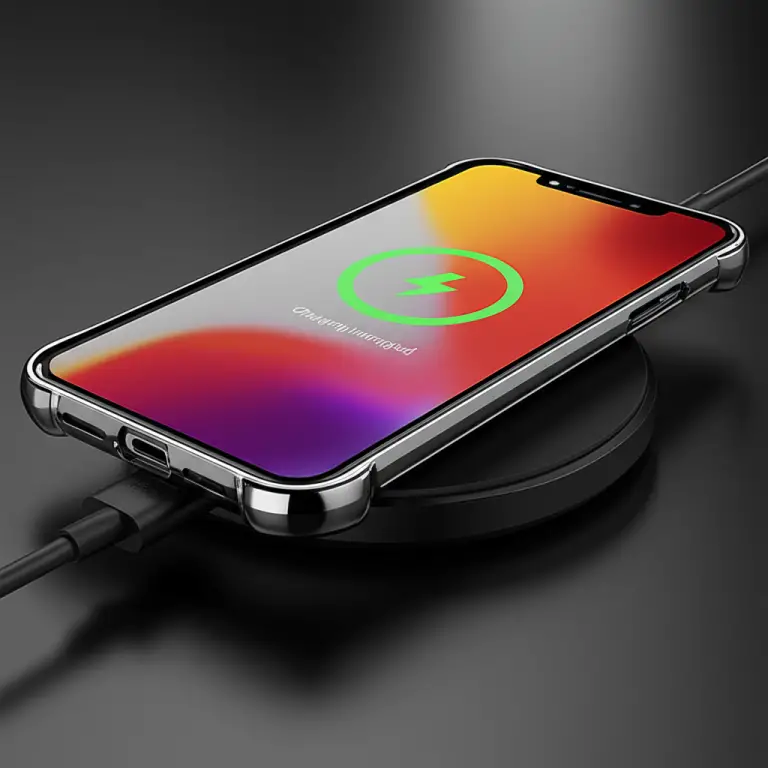
Wireless charging and cellular reception are related to the broader world of electromagnetic technology, but they are not the same function. A metal plate can disrupt or prevent wireless charging even if you don’t notice a clear change in cellular reception. A case advertised as compatible with MagSafe or Qi charging is designed for those charging features, but that label does not independently certify reception performance.
Apple explains how to use MagSafe chargers and accessories. For a case, check both charging compatibility and signal-related design; one doesn’t prove the other.
7. Low signal, network congestion, and distance from a tower
A weak connection may have nothing to do with your case. Signal can vary because of distance from a cell site, terrain, walls, crowded networks, weather-related conditions, or the network band your phone is using. The FCC’s broadband and coverage resources can help you investigate service availability, though a coverage map cannot predict reception in every room.
This is why a case that works perfectly in an open street might seem to cause trouble in an interior room. The case could be contributing—but the environment may be doing most of the work.
8. Water, dirt, damage, and poor case fit
A damaged case may warp, loosen, or press against buttons and accessories. Dirt inside a case can also scratch the phone or interfere with a secure fit. These issues are not classic radio interference, but they can produce symptoms that look like an accessory problem or disrupt charging and connectivity setup.
Inspect the case if you notice:
- Cracks, stretched corners, or a loose fit.
- A built-in metal component that has shifted.
- A warped section near buttons, ports, or camera openings.
- Dirt or moisture trapped between the phone and case.
9. Phone model, carrier, and frequency bands
A case can behave differently across phones and networks because devices use different antenna designs and wireless bands. The same phone may also switch between network bands as conditions change. So a test that compares two different phones—or two different places—can lead you to the wrong conclusion.
For useful results, keep the phone, carrier, location, orientation, and time window as consistent as possible. Then change only one thing: the case or accessory.
📶 Effects on Cellular Reception, Wi-Fi, Bluetooth, GPS, and NFC
A case is not equally likely to affect every feature, and there’s no universal “case blocks wireless” switch. If you notice one connection behaving oddly, test that feature directly.
Cellular signal and dropped calls
Cellular reception is the most common worry because a small change may be noticeable in an area with already-weak coverage. Possible symptoms include calls dropping more often, slower mobile data, or a phone struggling to hold a connection. But carrier congestion, phone settings, and local coverage can cause the same symptoms.
Use your carrier’s coverage tools and support resources before deciding the case is responsible. For general device troubleshooting, Apple’s cellular connection support and Google’s Pixel connectivity help provide device-specific steps.
Wi-Fi speed and connection stability
A case may affect Wi-Fi performance in some situations, especially if it contains conductive material or the phone is far from the router. But Wi-Fi problems are often caused by router placement, congestion, interference from neighboring networks, or the internet connection itself.
Test close to the router and farther away. If the phone performs well nearby but poorly at the edge of coverage, compare with the case removed and another device in the same location.
Bluetooth earbuds, watches, and car connections
Bluetooth connections work over short distances, so a case-related effect may show up as intermittent audio or a connection that drops when the phone is in a pocket, bag, or car mount. Still, low battery, software issues, crowded radio environments, and the connected accessory itself can be the real culprit.
Try the simplest test first: place the phone in the same position, use the same earbuds, and compare with and without the case. Don’t change three settings at once; that turns troubleshooting into a guessing game.
GPS accuracy and navigation
GPS and other satellite-navigation systems receive signals from satellites, while navigation apps may also use cellular and Wi-Fi data to assist with location. Tall buildings, roofs, vehicle interiors, and dense surroundings can make location performance less reliable. A case may be one factor, but outdoor testing is more informative than testing beside a high-rise window.
For a basic primer on satellite navigation, the U.S. government’s GPS overview explains how the system works.
NFC payments and contactless features
NFC works at very short range. A thick wallet, a metal component, or stored cards may change how easily you position the phone for a tap. That doesn’t prove the case is breaking NFC; removing cards or opening the folio can be enough to improve the interaction.
If tap-to-pay fails, test the phone without the case and check that the payment app, card, and terminal are functioning. Apple’s Apple Pay troubleshooting guidance and Google’s Google Wallet help offer platform-specific advice.
🧪 How to Test Whether Your Phone Case Is Blocking Signal
A good comparison changes one variable at a time. We recommend testing the same phone in the same place, in the same orientation, on the same network, with the same accessory setup.
A quick case-on, case-off comparison
- Choose a repeatable location. Pick a spot where reception is consistent, such as the same table or outdoor location.
- Keep your phone in one position. Don’t rotate it or cover different edges with your hand between readings.
- Record the baseline. Note the signal reading and whether calls, data, Wi-Fi, or Bluetooth are behaving normally.
- Remove the case and accessories. If a metal plate, ring, or wallet insert is attached, remove it too.
- Repeat the same test. Wait briefly for the phone to settle, then record the same readings and connection behavior.
- Run the comparison several times. Repeat at another location or time to see whether the result is consistent.
- Reinstall accessories one by one. This can help identify whether the case itself or an add-on is involved.
If the result changes once but not on repeated tests, don’t convict the case based on a single coincidence.
Check signal strength accurately
Signal bars are a rough visual guide. When available, use dBm (decibels relative to one milliwatt) for a more meaningful comparison. For cellular readings, numbers closer to zero generally indicate a stronger signal; however, the exact interpretation depends on the radio technology and the measurement shown.
- iPhone: Some models and iOS versions provide cellular details through Field Test Mode, accessed by dialing
*3001#12345#*. Menus and available readings can vary by software version and carrier. - Android: Look under Settings → About phone → SIM status or a similarly named menu. Paths vary by manufacturer and Android version.
- Avoid over-interpreting tiny shifts. A few dB can occur naturally as the network changes, so repeat the comparison before blaming the case.
Android’s official connectivity support and Apple’s iPhone support can help you locate current device-specific settings. Third-party apps may offer extra diagnostics, but app readings can vary by device and permissions; use them as clues, not lab instruments.
Test calls, data, Wi-Fi, and accessories
A single speed test is not enough. Try several types of real-world use:
- Call test: Place a call in the same spot and see if it remains stable.
- Mobile data test: Load the same page or run the same test under the same network conditions.
- Wi-Fi test: Compare at the same distance from the same router.
- Bluetooth test: Use the same accessory and distance.
- GPS test: Compare location lock outdoors in an open area.
- NFC test: Use the same terminal or test setup, if available.
Avoid common testing mistakes
- ❌ Comparing different rooms, buildings, or times of day.
- ❌ Using signal bars as your only measurement.
- ❌ Changing the case, network mode, and phone position all at once.
- ❌ Assuming a one-time slowdown proves the case is responsible.
- ❌ Testing GPS indoors and treating a slow location fix as a case diagnosis.
- ✅ Write down results so patterns are easier to spot.
🛠️ How to Fix Weak Phone Signal and Case Interference
Before buying a new case, isolate the cause. A new accessory won’t fix a congested network or poor indoor coverage—and a reset won’t magically make a metal shell non-conductive.
Remove or replace a problematic case
If repeated testing shows that the phone performs better without the case, remove the case or try a different design. Start with a model-specific case made from non-conductive materials such as silicone, TPU, polycarbonate, or leather. Keep any metal accessories off the phone during the first retest.
Reposition magnetic accessories
Remove magnetic rings, wallets, car-mount plates, and kickstands one at a time. If one accessory appears to make a consistent difference, test a different placement or use a compatible alternative. Don’t assume the magnet itself is to blame; the attached metal, size, position, or overall design may be the relevant factor.
Improve reception without changing your case
If reception is weak with or without the case:
- Move closer to a window or outdoors, if safe.
- Restart the phone and check for carrier or system updates.
- Confirm that cellular data and the correct SIM or eSIM are active.
- Enable Wi-Fi Calling if your carrier and phone support it.
- Check your carrier’s outage and coverage information.
- In a home or office, ask your carrier about approved coverage solutions before buying a booster.
A network-settings reset can sometimes help with persistent connectivity problems, but it may remove saved Wi-Fi networks and related settings. Read your device maker’s instructions first: Apple network reset guidance and Google Pixel connectivity troubleshooting.
When to contact your carrier or phone maker
Contact your carrier if multiple devices have poor service in the same location, or if the issue follows your account or SIM. Contact the phone maker if the device has unexplained reception problems across networks and locations, especially after checking software and accessories.
A case-related issue tends to follow the case. A carrier or coverage issue tends to follow a place, network, or account. That isn’t an absolute rule, but it’s a useful first clue.
🛡️ Choosing a Protective Case That Won’t Hurt Reception
You shouldn’t have to choose between a protected phone and a usable phone. The sensible approach is to choose a case with a precise fit, sensible materials, and no unnecessary conductive hardware near the device.
Best materials for reliable wireless signals
For most people, silicone, TPU, polycarbonate, leather, and fabric are reasonable starting points because they are generally non-conductive. A case combining these materials may still include metal trim or other components, so check the complete construction—not just the main shell.
| Your priority | Case direction to consider | Trade-off |
|---|---|---|
| Everyday protection | TPU or polycarbonate case | Less protection than some rugged multi-layer cases |
| Soft grip and flexibility | Silicone case | Can collect lint or stretch over time |
| Professional or classic finish | Leather folio or shell | Check for metal closures and card storage |
| Drop protection | Model-specific rugged case | May be bulkier and include extra hardware |
| Environmental materials | Recycled or bio-based case | Review the full material and construction details |
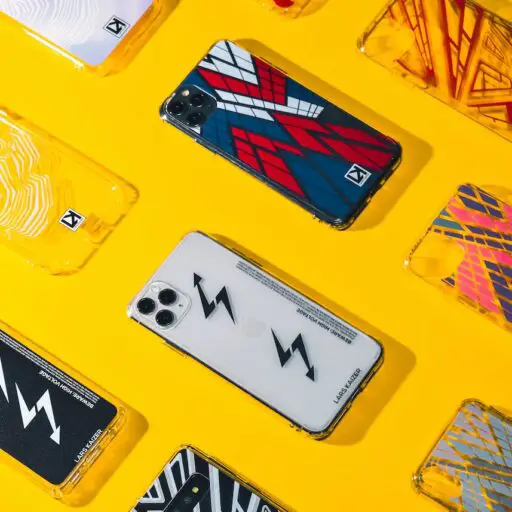
| Fashion-forward style | Printed or decorative case | Confirm whether accents are plastic, metal, or coated |
For sustainable and style-focused options, browse Eco-Friendly Cases, Fashion Cases, and Designer Cases. A look that says “excellent taste” is a bonus; it still needs to fit the exact phone.
Features to look for—and warning signs to avoid
Look for:
- Exact phone-model compatibility.
- Clearly described materials.
- Precise openings and a secure, consistent fit.
- Reviews that discuss connectivity or accessory compatibility.
- Manufacturer guidance for wireless charging and magnetic accessories.
Investigate carefully:
- Full metal shells or metal frames.
- Large decorative metal panels.
- Metal plates added for car mounts.
- Carbon-fiber construction or conductive-looking coatings.
- Built-in stands, rings, wallet hardware, and magnetic closures.
Case compatibility with MagSafe and wireless charging
If you use MagSafe or Qi wireless charging, confirm that the case is listed as compatible with the charger and phone you own. Apple’s MagSafe accessory guidance explains compatible use; other phone brands publish their own charging requirements.
A charging-compatibility claim answers a charging question. It doesn’t guarantee that every cellular band, Wi-Fi connection, or Bluetooth setup will behave identically. If reception matters in your work or home environment, keep your receipt and test the case early.
📱 Phone Case Signal Interference by Phone Type
The underlying principles apply across phones, but hardware details differ. A case made for one device may place materials and openings differently from one designed for another—even within the same brand.
iPhone cases and antenna performance
iPhones use model-specific designs and wireless features. Check the exact generation and size before buying a case, particularly if it has metal buttons, a camera surround, a kickstand, or a magnetic mount plate. Apple’s iPhone technical specifications and wireless support resources are better references than a listing that simply says “fits iPhone.”
Android phone cases and reception
Android covers a wide range of manufacturers, sizes, antennas, and network capabilities. A Samsung Galaxy case is not interchangeable with a Google Pixel case, and a generic “Android” fit is a warning sign.
Check the exact model number, not just the screen size or family name. For manufacturer-specific fit and connectivity support, consult Samsung Support, Google Pixel Help, or your phone maker’s official site.
5G phones, mmWave, and case design
“5G” includes multiple frequency ranges. Low-band and mid-band 5G don’t behave exactly like mmWave, which uses higher frequencies and can be more sensitive to obstacles and placement. The FCC’s 5G overview and 5G Americas’ technology resources explain the broad differences.
A case that works well one 5G phone may not behave the same on another. Don’t assume that every thick case blocks 5G, or that every thin case is harmless. Check compatibility for your specific phone, especially if your device has dedicated antenna windows or a case maker lists particular 5G considerations.
✅ Myths, Safety, and What the Evidence Says
Phone-case advice online often swings between “cases never matter” and “this accessory destroys every signal.” Neither extreme helps you make a sensible choice. The best evidence is a repeatable comparison on your own phone, backed by the device and carrier’s guidance.
Can a phone case block all signal?
Most ordinary cases do not block every wireless signal. A case may weaken or alter reception under certain conditions, particularly if it contains substantial conductive material, but a complete loss of service can also point to coverage, a network problem, a damaged phone, or settings.
Do signal-boosting or anti-radiation cases work?
Be cautious with cases promising to “boost” reception or shield you from radiofrequency exposure. A passive case cannot be assumed to improve a phone’s antenna performance just because the packaging says so. Look for independent testing that identifies the exact device, network band, test method, and results.
For health-related questions, consult science and public-health agencies rather than product marketing. The World Health Organization’s electromagnetic fields overview and the FCC’s RF safety resources are more appropriate starting points than unsupported claims printed on a case box.
Can a case make a phone emit more radiofrequency energy?
We can’t determine that from a case’s appearance or marketing claims. Phones manage their radio transmissions based on network and operating conditions; reception problems alone do not prove increased exposure. For safety concerns, rely on device manufacturer guidance and established public-health sources such as the WHO and FCC, not alarming claims without measurements.
🏁 Conclusion

🔗 Recommended Links
❓ FAQ

Can a phone case reduce cell signal?
Yes, it can in some combinations of phone, case, and network conditions, especially when the case includes a large metal component or accessory near antenna. But most ordinary non-conductive cases won’t cause a noticeable difference for most users. Compare the same phone with and without the case under repeatable conditions before deciding.
Read more about “🛡️ Can Case Brands Stop Drops? 10 Top Picks (2026)”
Do thick cases interfere with 5G?
Thickness alone doesn’t tell you whether a case will affect 5G. Material, construction, phone antenna design, and the 5G band in use all matter. A thick TPU case may work normally, while a thinner conductive case could be more problematic. Check the manufacturer’s compatibility guidance and test your own device.
Can magnets in a case affect phone reception?
A magnet doesn’t automatically block cellular reception. The case may also contain a metal plate, ring, or other hardware, and those parts can have different effects depending on location and design. If reception changes after adding an accessory, remove it and compare before assuming the magnet is responsible.
Does taking off a case improve Wi-Fi or Bluetooth?
It might, if the case is affecting the phone’s wireless performance, but Wi-Fi and Bluetooth issues often have other causes. Test in the same location, at the same distance, with the same router or accessory. If removing the case makes no repeatable difference, look at network congestion, device settings, battery level, or the connected device.
How can I tell if my case is causing dropped calls?
Compare call reliability in the same place with the case on and off, ideally more than once. Keep your phone position, carrier, and time window consistent. If the issue happens only in a specific building or area, weak coverage or building materials may be more likely than the case.
Read more about “📱 15 Best Phone Cases with Integrated Kickstand (2026)”
Are metal phone cases bad for signal?
Metal cases are more likely to raise signal concerns than cases made from non-conductive materials, particularly if metal surrounds the phone or covers a large area. Small metal details do not automatically cause a problem. Check the case’s construction and test it with your exact phone.
Do wallet cases block NFC payments?
Not necessarily. NFC works at close range, but a wallet case’s thickness, metal hardware, or stored cards can make positioning more finicky. Try opening the folio, removing cards, and tapping the phone without the case to identify what’s affecting the payment.
Should I remove my case to improve GPS?
Only if a controlled comparison suggests the case is affecting location performance. GPS problems are commonly caused by indoor use, tall buildings, vehicle interiors, or poor satellite visibility. Test outdoors in an open area with the phone in the same position, first with the case and then without.
📚 Reference Links
- Federal Communications Commission: Radio Frequency Safety
- Federal Communications Commission: 5G
- Federal Communications Commission: Broadband Data
- U.S. GPS: GPS Overview
- Apple Support: iPhone Technical Specifications
- Apple Support: Wireless Carrier Connectivity
- Apple Support: MagSafe Chargers and Accessories
- Apple Support: Network Settings
- Google Pixel Phone Help
- Samsung Support
- Wildflower Cases: Is Your Phone Case Hurting Your Signal?
- ZAG: Signal Strength and Phone Cases: What You Need to Know
- Case Brands™: Case Brand Guides